
Keep the machine awake
while the job runs.
A build, a training run, an overnight crawl, a remote session you need to stay reachable — all of them die the moment the Mac decides to sleep. KaiAwake holds a system power assertion so they don't, then releases it when the work is done.
What it does
Indefinite or timed
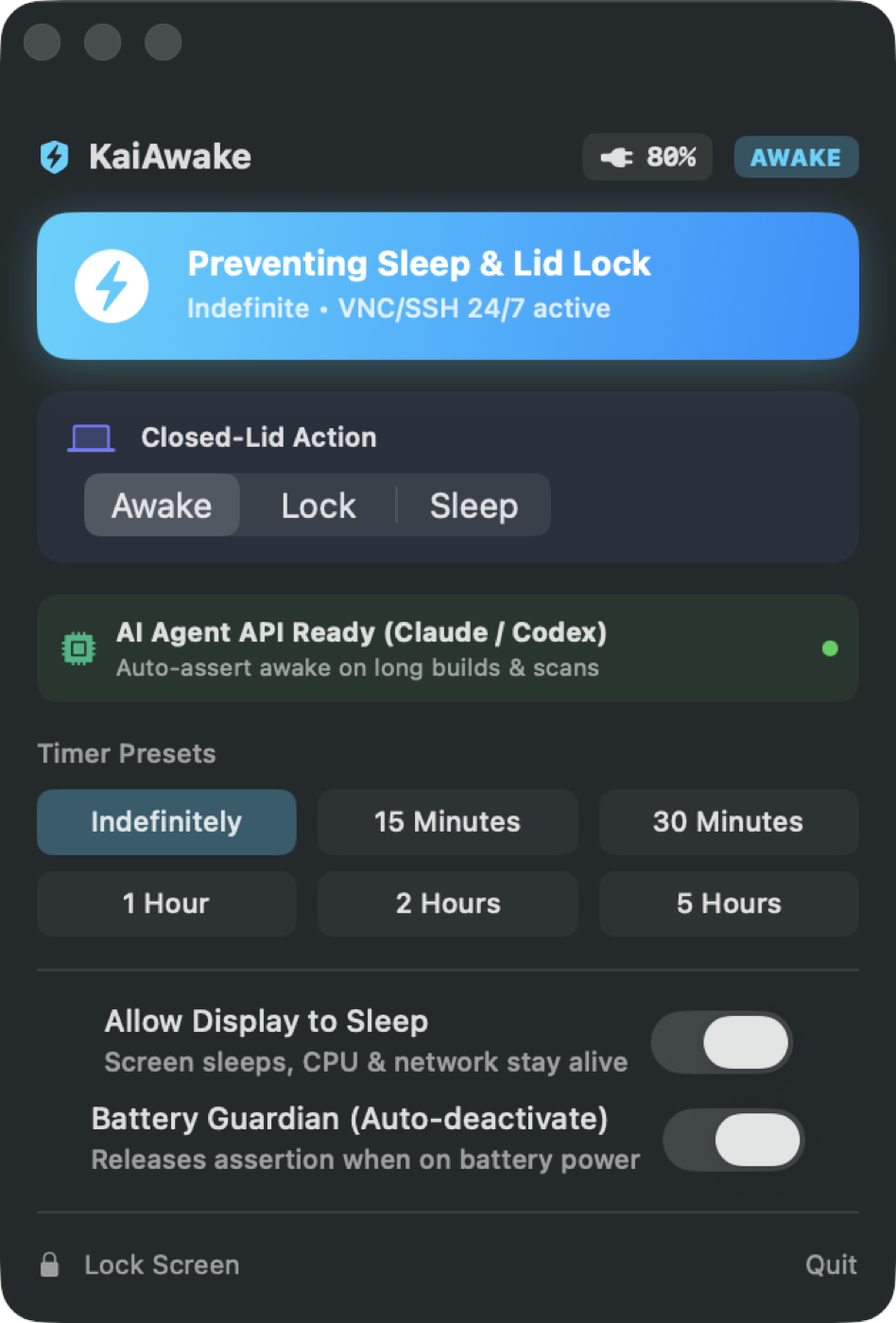
Hold the system awake with one click, or set a timer — 15 minutes to 5 hours — and let it release itself when the time is up.
Display sleep control
Let the screen rest while the CPU, the network and your job keep running. A long build no longer means a bright display all night.
Closed-lid mode
Keep working with the lid shut — for a machine on a shelf, docked, or reachable only over SSH and VNC.
Battery guardian
Release the awake state automatically when you unplug, or below a battery percentage you pick. An unplugged laptop is never left held awake by accident.
Auto mode
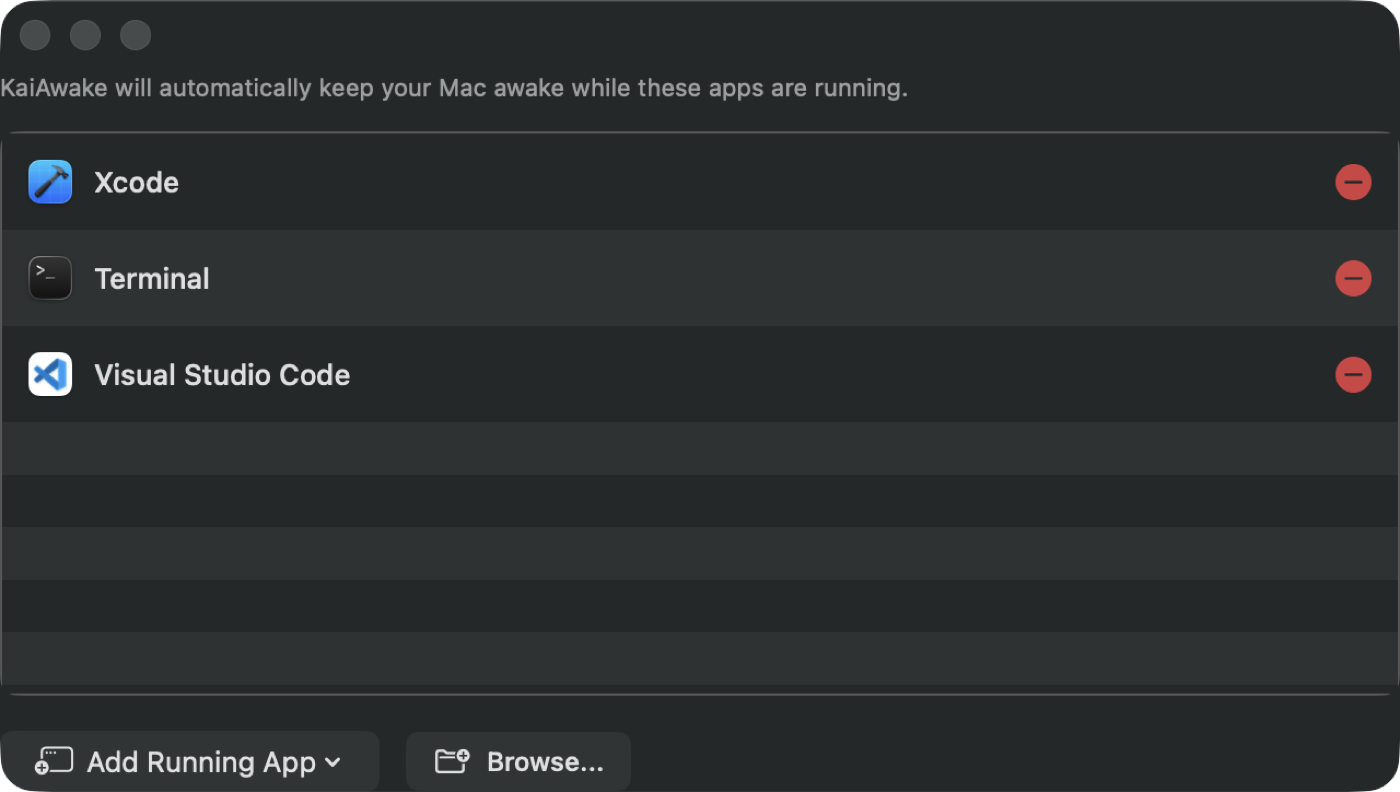
Name the apps that matter — Xcode, Terminal, VS Code, Docker — and KaiAwake stays awake on its own whenever one is running, then releases when they quit.
Local control API
Turn on a token-protected HTTP endpoint and drive the awake state from your own scripts, from another machine over LAN or Tailscale, or from an AI coding agent through the bundled MCP manifest.
Set it once, stop thinking about it
Auto mode watches for the apps you care about. Start Xcode and the machine is held awake; quit it and the assertion is dropped. No timer to remember, no toggle left on for three days.
Rules that match how you work
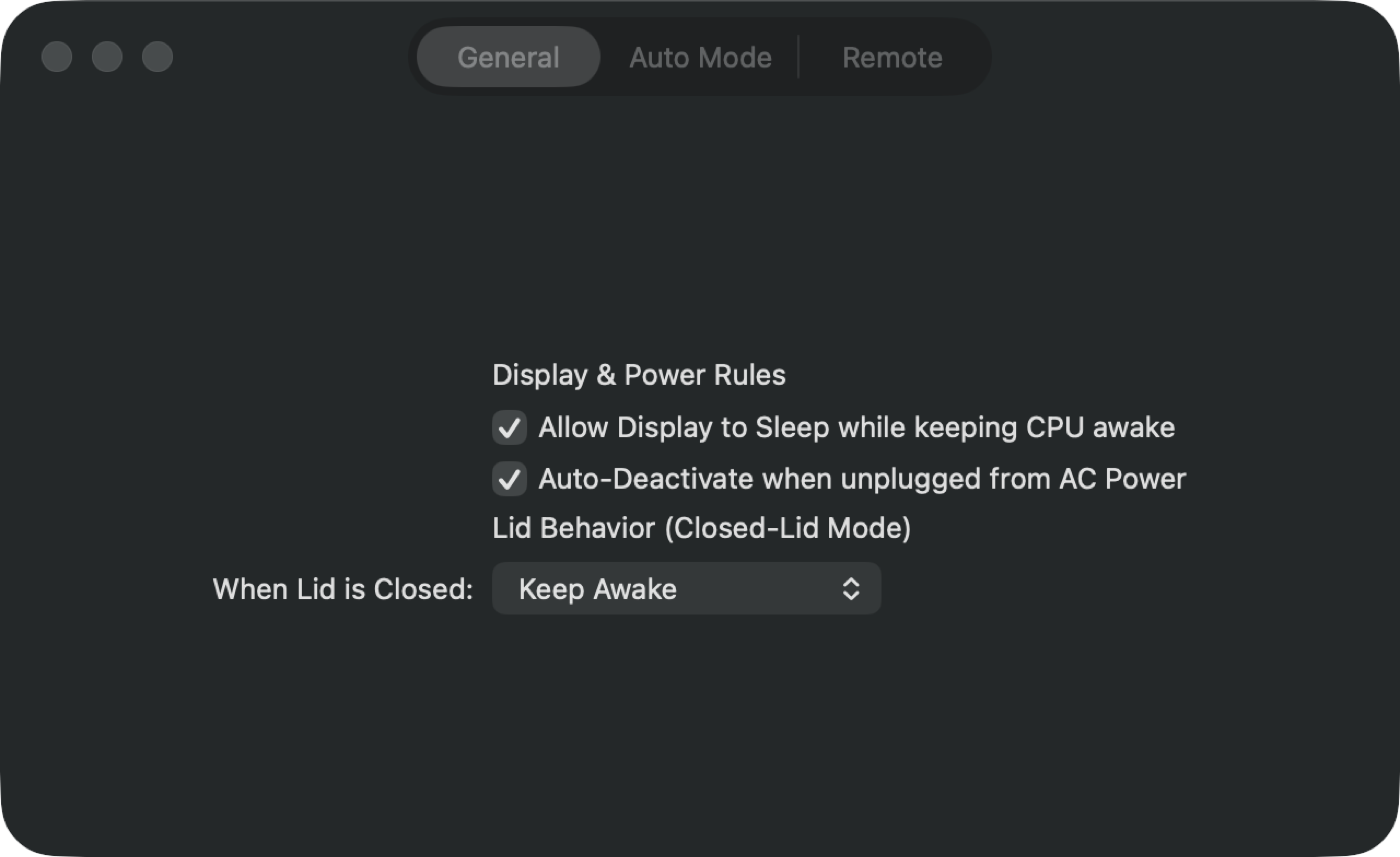
Decide what happens when the lid closes, whether the display may sleep, and when battery power should win. The defaults are conservative; everything is one checkbox away.
It collects nothing
There is no account, no analytics and no server of ours to talk to. The optional
local API serves your own machine over loopback, your LAN or your Tailscale network,
and every request from outside loopback must carry a token you can see and rotate.
Awake state uses IOPMAssertionCreateWithName, the same public mechanism
macOS uses itself.