

ThoCam · for camera installers
Thợ Cam
The field toolkit for CCTV & network installers
Scan the site network, find and configure cameras, check every stream, plan coverage on the floor plan and hand over a signed acceptance report — in one app on your phone, tablet or computer.
In development · planned for iPhone & iPad, Android, Mac and Windows
Screenshots show the app's Vietnamese interface with sample data.
LAN scan
Find the cameras on the site network
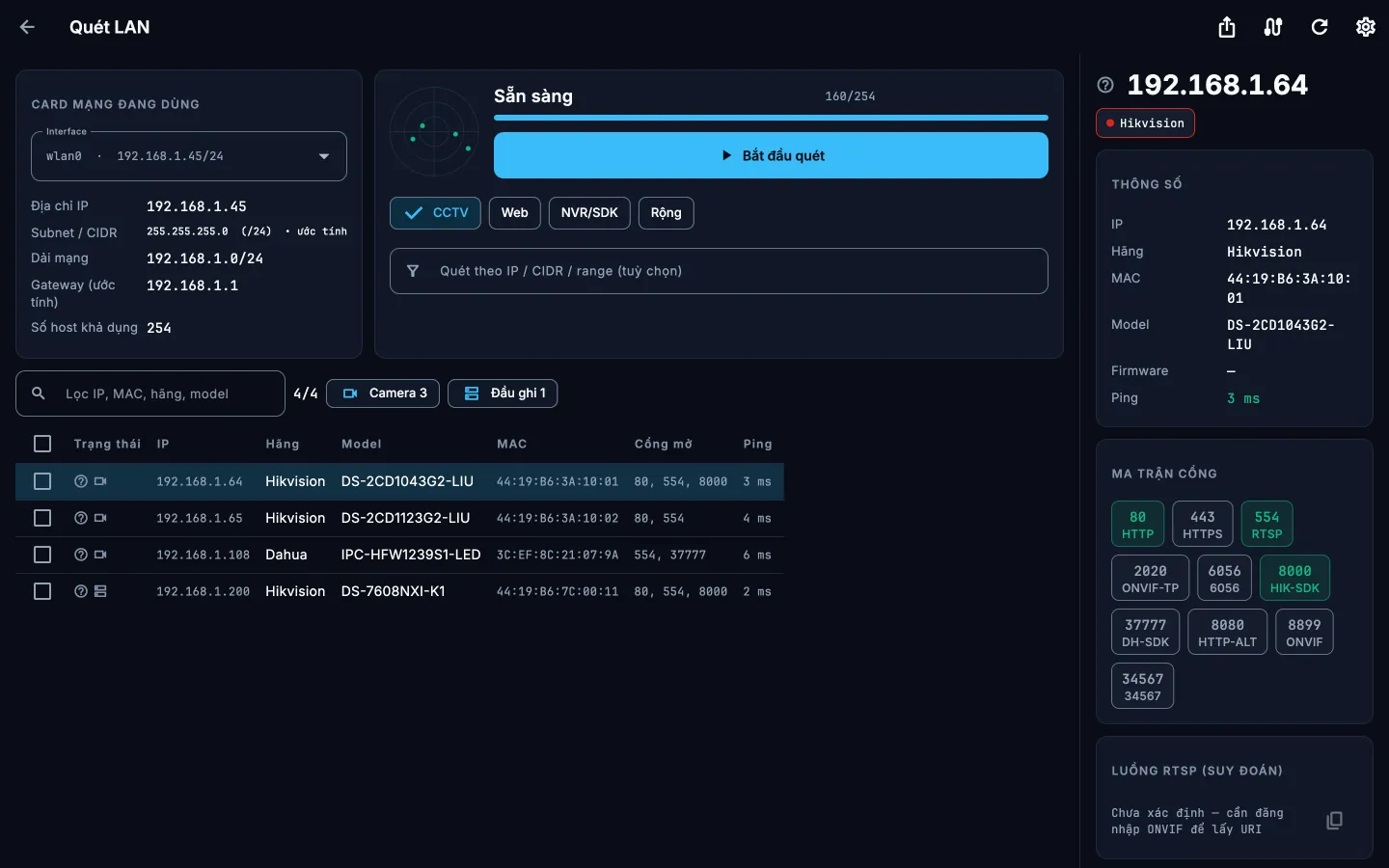
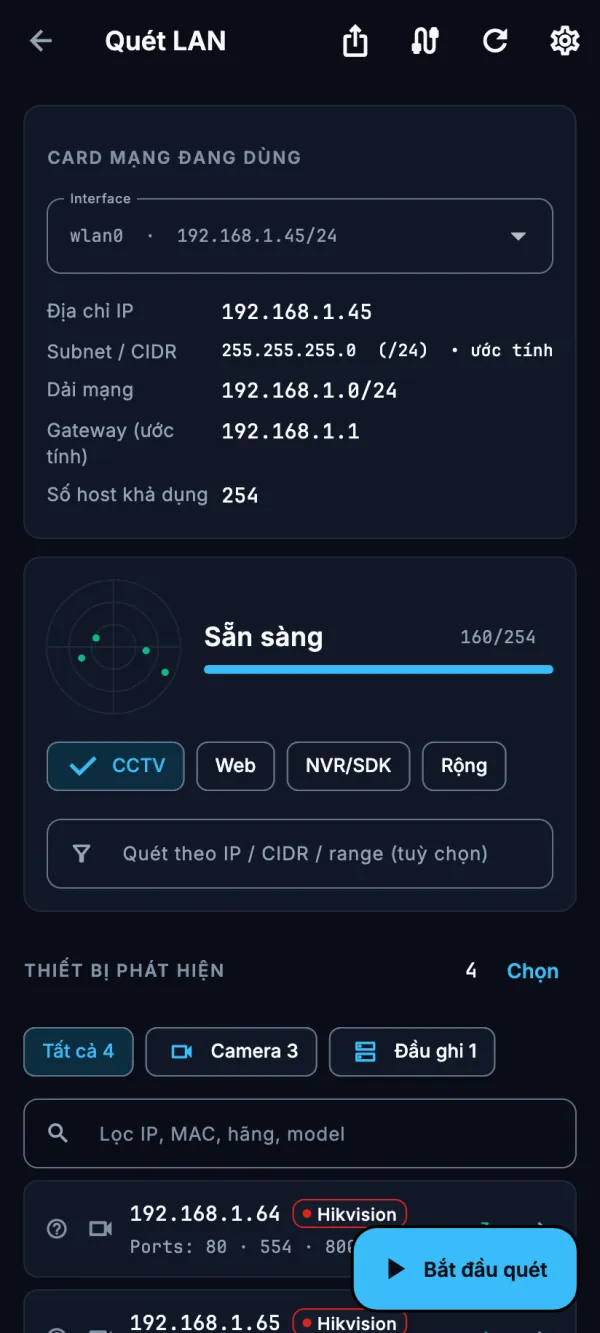
One tap on Scan searches the network you are on using ONVIF WS-Discovery, Hikvision SADP, Dahua DHDiscover, Xiongmai discovery and mDNS, with a TCP port sweep running alongside. Each device shows its IP, brand, model, MAC address and open ports, and is sorted into cameras and recorders.
- Change the IP address, set the clock and on-screen text, or reboot — on one device or several in a batch.
- Factory reset where the device supports it PRO
- On a computer the results become a table with a detail panel; on a phone, cards you tap.
Live view & tools
Live view and the network tools in your bag
Open a camera's live stream straight from the scan, or pick a brand and type an IP to open one without scanning. Watch up to four cameras at once in a 2×2 grid.
- PTZ control on cameras that support it.
- On a phone, a spirit level and a 3×3 grid over the live picture help you mount the camera straight.
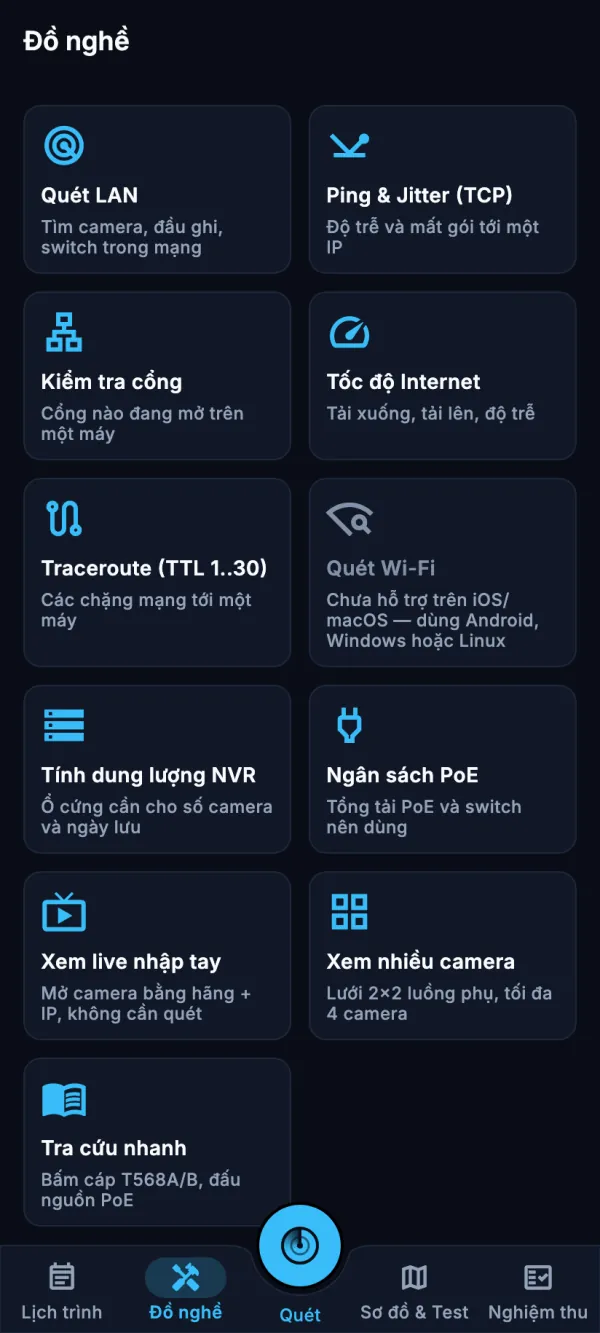
- Ping & jitter, port check, internet speed test, traceroute and Wi-Fi scan, where the platform allows.
- NVR storage and PoE budget calculators, plus a quick reference for T568A/B wiring and PoE pinouts.
Floor plan
See what each camera covers before you drill
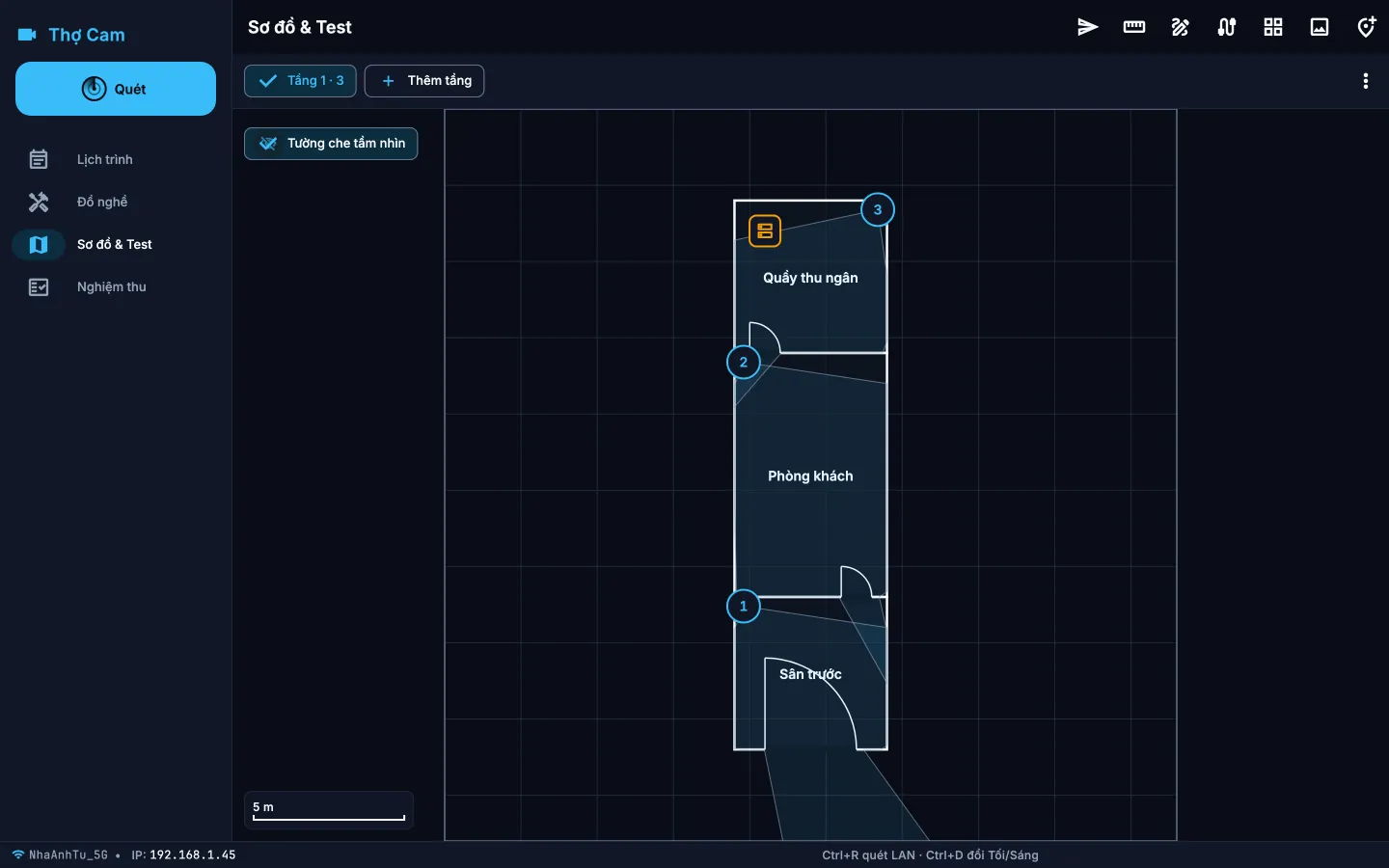
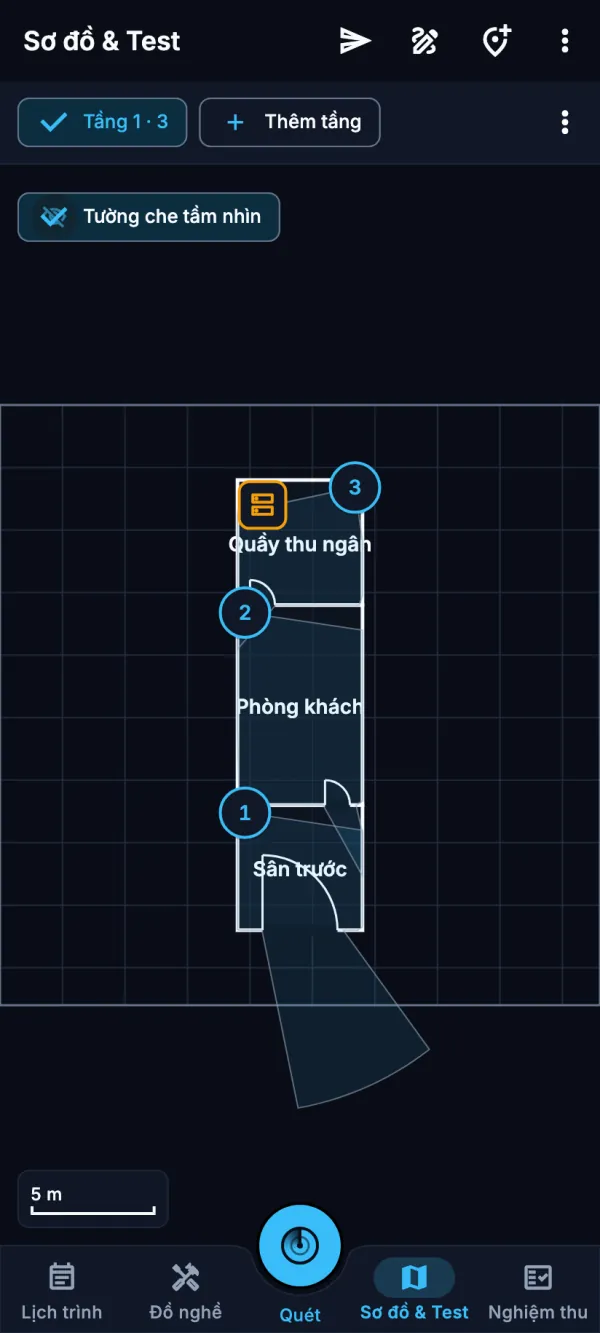
Place cameras on a photo of the floor plan or on a quick sketch and see each camera's field of view. Draw walls and the view stops where a wall blocks it, so blind spots show up on the plan.
- Lens presets, direction and range for every camera.
- Mark the recorder and get a cable estimate per camera that you can add to the materials list.
- Send the customer a “Camera installation plan” PDF: coverage per floor in plain words, with no IPs or passwords.
- Plans with more than one floor PRO
Sign-off
Hand over with a signed acceptance report
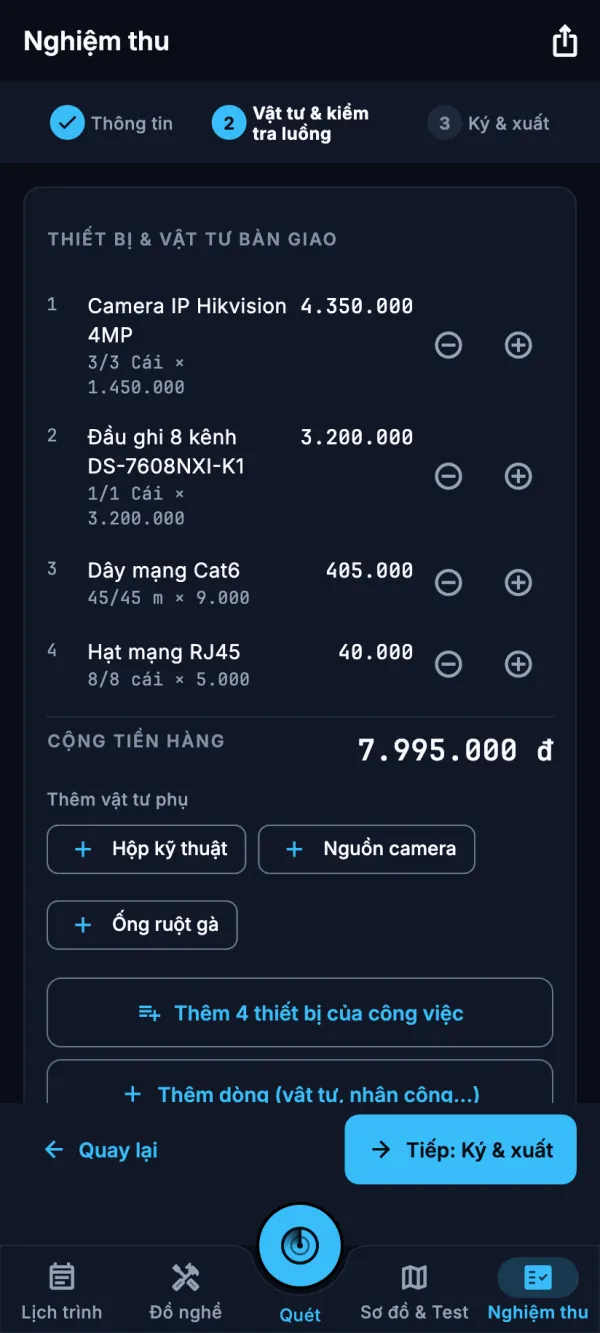
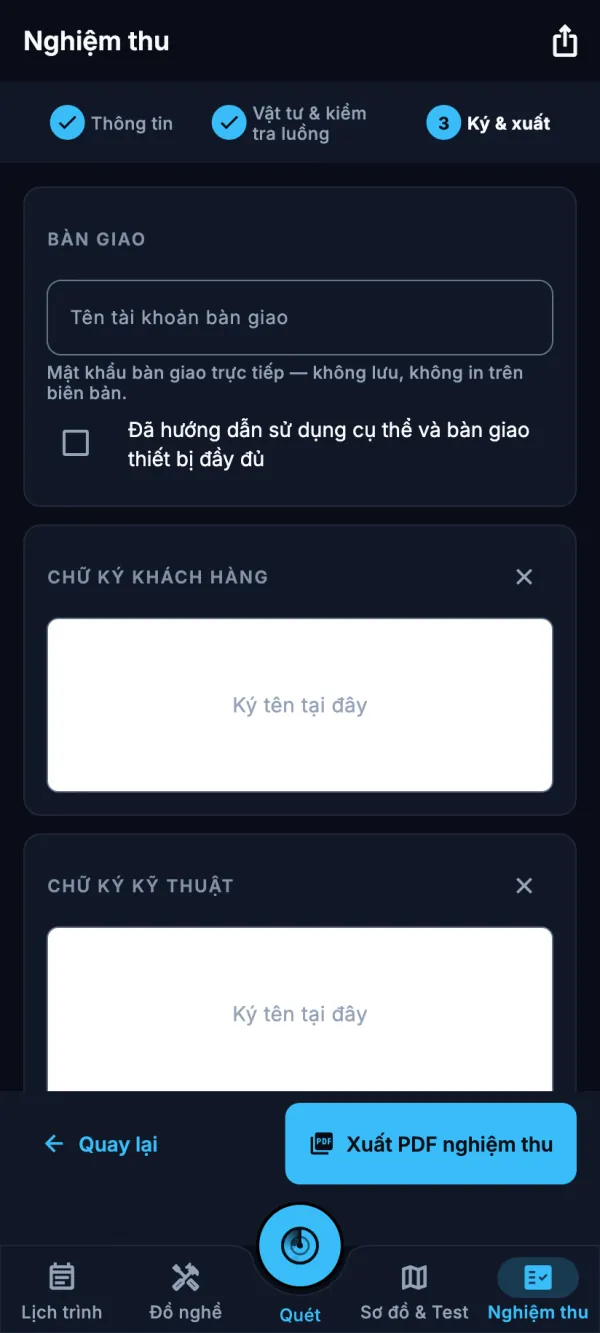
Three steps: details, materials & stream check, sign & export. Check each camera's stream, add materials from your price list, let the customer and the technician sign on screen, then export the acceptance PDF.
- The stream check records each camera's codec, resolution, frame rate and bitrate in the report.
- Your price list holds device and labour prices; they are copied into each job, where you can still adjust them.
- Vietnamese text prints correctly in the PDF, and every report you share or print stays in the job's history.
Schedule
Your day, one job at a time
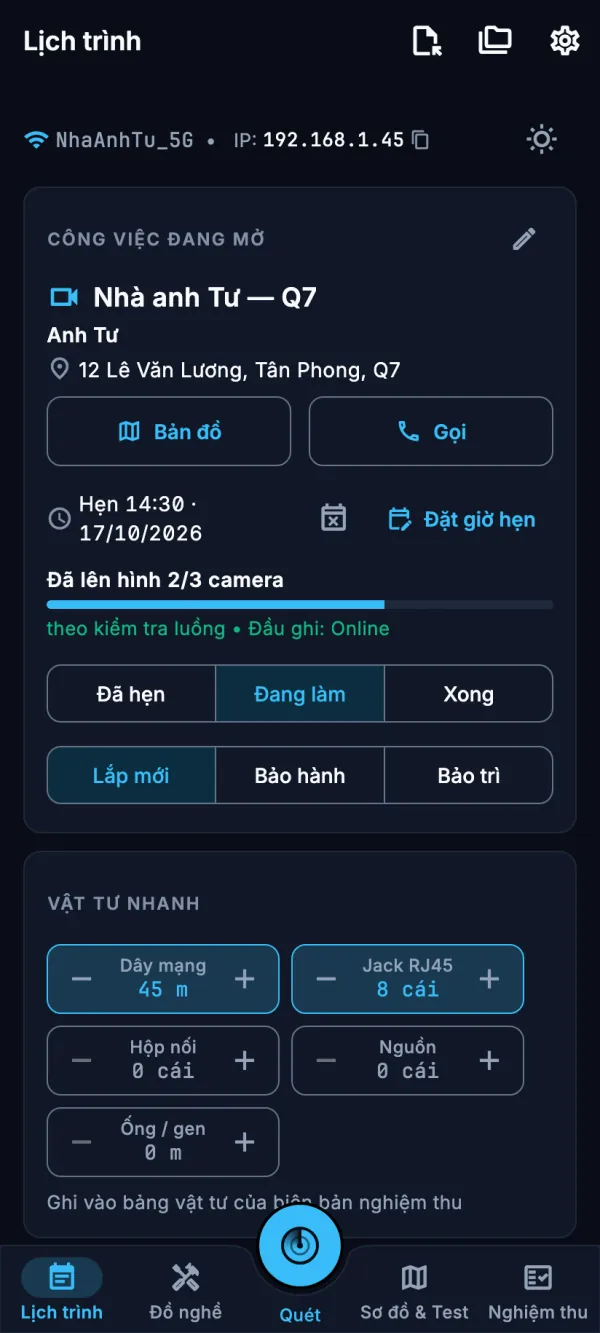
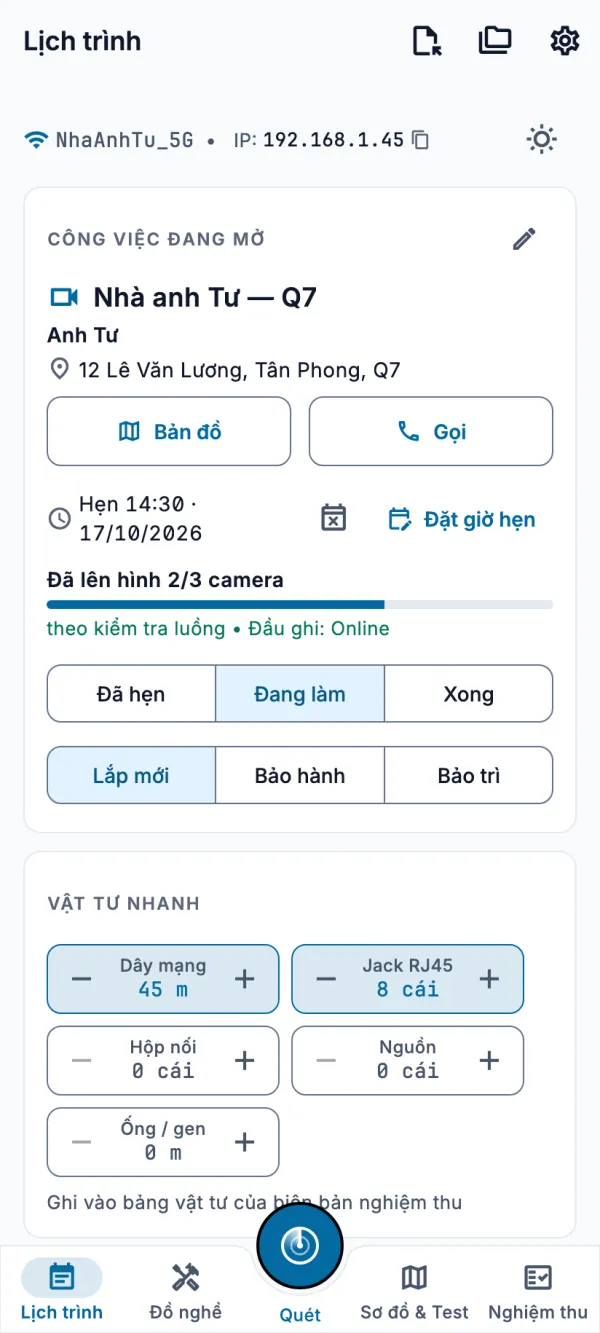
The Schedule tab groups jobs into Today, Upcoming, Unscheduled and Done. The open job shows the customer's address with Map and Call buttons, how many cameras already have a picture, and quick counters for cable, RJ45 jacks and other materials.
- The sunlight button switches to the light theme in one tap.
- Move a whole job to another device or a colleague as a .thocam file; camera passwords are never included.
- A passphrase-encrypted QR tag for the recorder cabinet lets you load the job again on your next visit. Creating tags needs PRO; scanning them is free.
Safe on the customer's equipment
Built not to lock out a camera
Thợ Cam works on equipment that belongs to your customer, so it is careful with logins.
Limited login attempts
Each device gets a limited number of attempts with the password you enter. When a camera rejects a login, the app stops sending it instead of retrying, so the account does not get locked.
No password guessing
No password lists and no automatic guessing: the app only uses the logins you type or save yourself. Only configure devices you are authorised to manage.
Passwords stay out of paperwork
Device passwords are never put into jobs, reports, QR tags or shared files. Logins you save stay in your device's secure storage, and at login the app only suggests the username.
Works on site
Scanning, live view, floor plans and reports run over the local network, without needing an internet connection.
Pricing
Free and PRO. No ads.
The free version covers everyday field work. PRO is for installers on bigger jobs who need to go faster and hand over cleaner paperwork.
Free
- Network scan, device detection, live view and PTZ
- Ping and advanced diagnostics
- Configuring one device, or a small batch per run
- Single-floor floor plans
- Acceptance PDF export, with a “free version” line
- No ads
PRO
- Batch configuration without the per-run limit
- Factory reset
- Multi-floor plans
- QR site tags
- Unlimited jobs
- Acceptance and proposal PDFs without the “free version” line
On phones and Mac, PRO is bought in the app through the App Store or Google Play (in Vietnam: 29,000 ₫ a month, 249,000 ₫ a year or 599,000 ₫ once). For Windows and Linux, buy an activation code on our website by bank transfer (VietQR); sign in with the same account on your phone to use it there too.
Status
In development. Thợ Cam is not on any store yet; it is planned for the App Store, Google Play, the Mac App Store and the Microsoft Store.
Vietnamese first
Built for Vietnamese camera installers first: the interface and the acceptance reports are in Vietnamese, with English available.
Privacy
Account optional, no ads and no analytics. Jobs, plans and reports stay on your device. Read the privacy policy.
Contact
Questions about Thợ Cam? Email hello@kaifuz.com.